The challenge
A new cloud clinical product had to serve several very different groups, each with their own priorities and access levels, and still feel familiar: the aim was for the product to feel like "home in a new house".
Research with every user group
I identified the main user groups and moderated a closed card sort with each one, to find the themes in how they think about their work and to test our design assumptions.
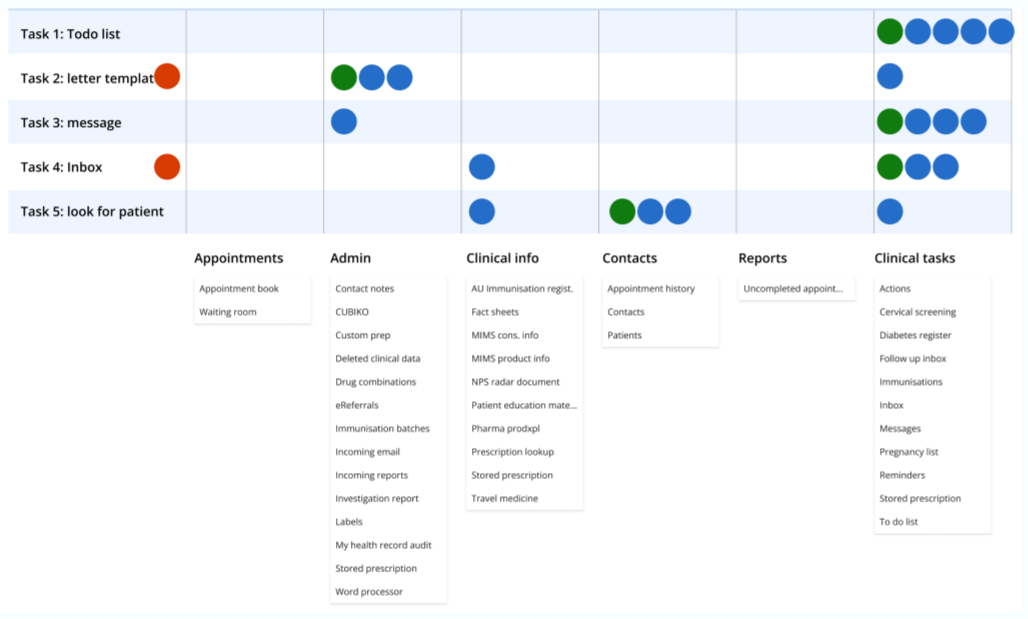
A structure for every role
From the research I designed a responsive structure and navigation that supports different roles and access levels, with top-level shortcuts for priority workflows: the appointment book, the inbox and patient search.
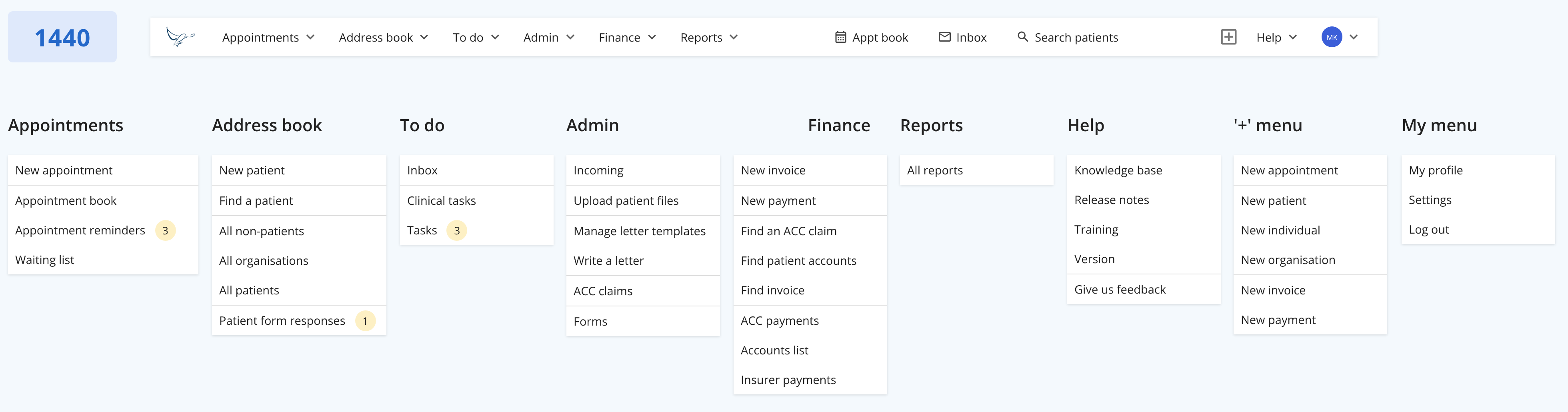
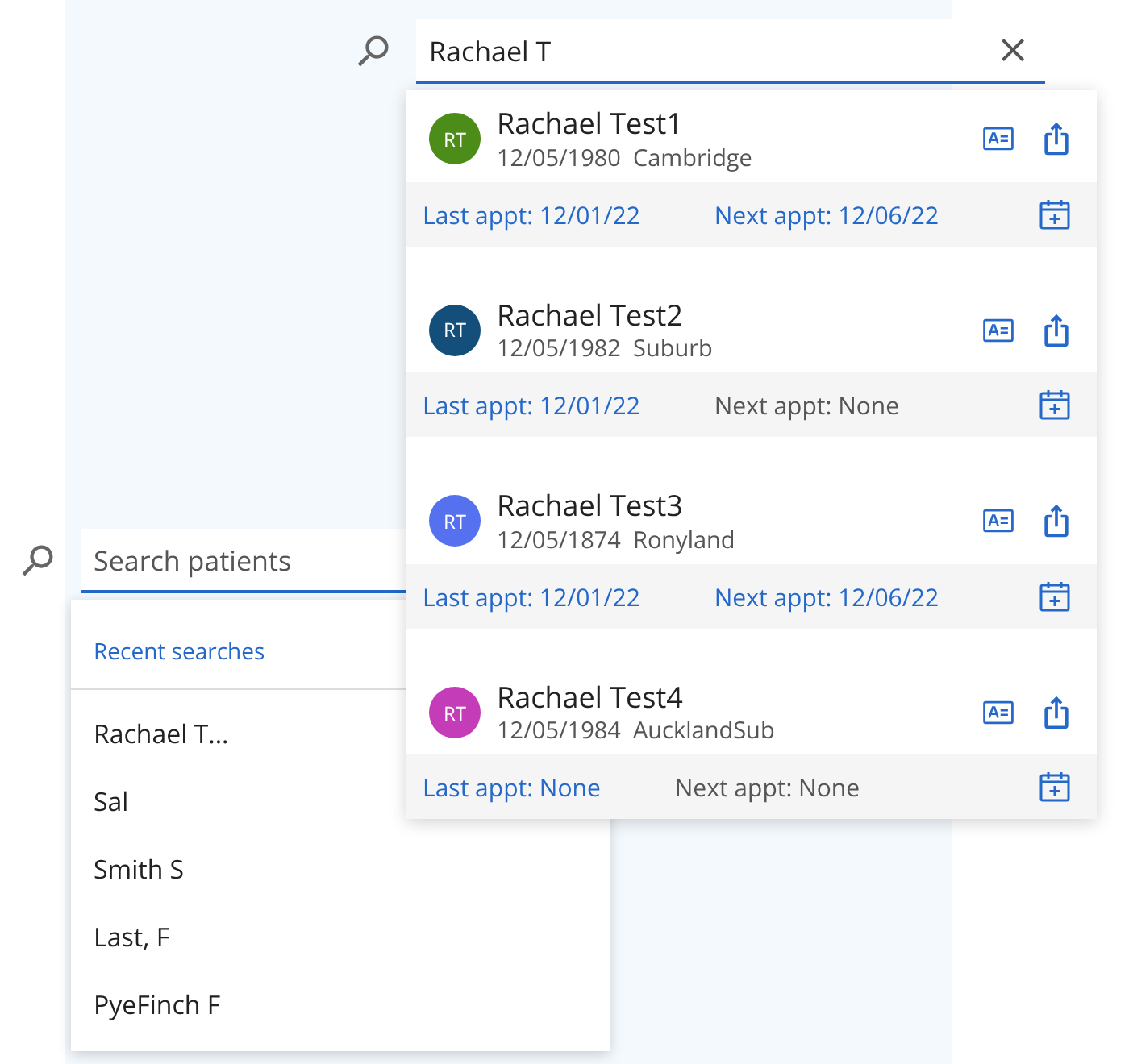
The key insight: patients, then action
Every user group's work centred on patients, but patients weren't the end of their workflow: finding a patient was the start of doing something for them. A front-and-centre patient search, with actions right in the results, was a huge win.
Outcome
- The structure supports 4+ user groups, tailored to different users and clinical types.
- It fluidly supports priority workflows with top-level shortcuts.
- It has adapted well and held up as the product has grown.
- Positive feedback: users said the product felt like "home in a new house".
How I'd use AI now
This project was done before AI tools were part of my process. If I did it today:
- Use AI to cluster card sort results and open comments alongside the standard analysis, as a second view to challenge my own reading.
- Simulate how different roles would look for things in a proposed navigation, to find weak labels before a real tree test, which would still decide.
- Draft navigation labels and help content in several versions for each user group, then test them.